
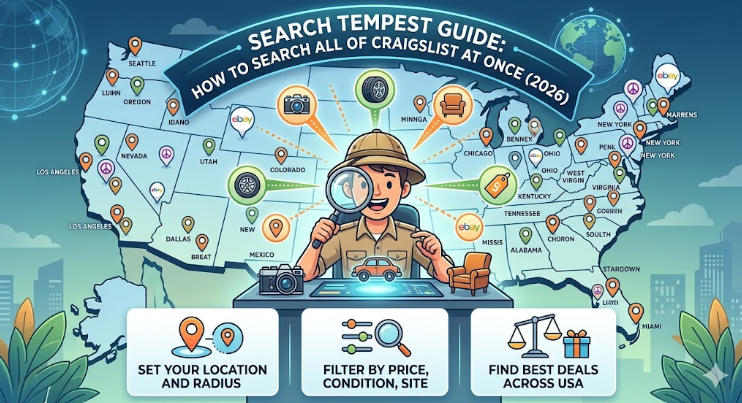
Have you ever spent hours clicking through different cities on Craigslist just to find one specific item? It is very frustrating! I remember looking for a vintage camera a few years ago. I had to check the local pages for New York, then New Jersey, and then Philly. It took forever! That is when I discovered search tempest. This amazing tool is like a giant magnifying glass for the internet. It lets you search every single Craigslist city at the same time. Instead of visiting fifty websites, you only visit one. It saves you so much time and helps you find the best prices across the whole country.
In this guide, we will look at how search tempest works and why it is the best friend of any bargain hunter. Whether you want a rare car part or a cool piece of furniture, this tool makes it easy. We will explain how to set your location, filter your results, and even look at other sites like eBay at the same time. You do not need to be a tech genius to use it. If you can type a word into a search bar, you can master this tool. Let’s dive in and learn how to find exactly what you are looking for without the headache!
Helpful Details at a Glance
| Feature | What It Does | Why It Is Helpful |
| City Radius | Searches cities near your zip code. | You don’t have to drive too far. |
| All Cities | Scans every Craigslist page in the US. | Helps you find very rare items. |
| Direct Links | Gives you links to the actual ads. | You can message sellers quickly. |
| eBay Integration | Shows eBay results next to Craigslist. | You can compare prices instantly. |
| Filters | Sorts by price, year, or image. | Stops you from seeing junk ads. |
What Exactly is Search Tempest?
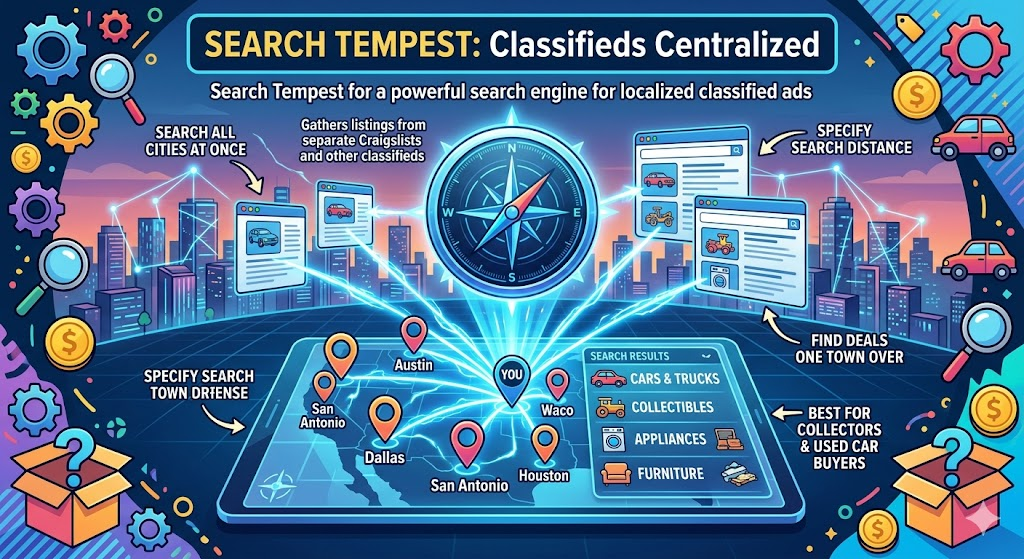
Think of search tempest as a powerful search engine built just for classified ads. Most people use it to search Craigslist because the official Craigslist site only lets you look at one city at a time. This tool acts as a bridge. It gathers all those separate city pages into one easy list. It is very popular for people who collect things or buy used cars. Because it searches by distance, you can see items that are just a few miles outside your usual area. Sometimes the best deal is only one town over, and this tool helps you spot it.
How to Start Your First Search
Starting your journey with search tempest is very simple. First, you go to the homepage and find the big search box. You type in the name of the item you want. For example, you might type “mountain bike.” Next, you enter your zip code. This is important because the tool needs to know where you are starting from. You can then choose how far you are willing to drive. You might pick 50 miles, or you might pick “any distance.” Once you hit the search button, the tool goes to work scanning thousands of listings for you.
Understanding the Search Results Page
When the results pop up, you might see a lot of information. Search tempest organizes things by city or by distance from your home. This makes it very easy to see what is closest to you first. You will see the title of the ad, the price, and often a small picture. If you see something you like, you click the link. The tool will then take you directly to the original Craigslist or eBay page. It is like having a personal shopping assistant who does all the walking for you while you sit on your couch.
Why Searching by Distance is a Game Changer
One of the best things about search tempest is the “distance” filter. Most of us are willing to drive an hour or two for a great deal, but not five hours. By setting a specific mile radius, you keep your results manageable. If you live in a small town, your local Craigslist might be empty. But if you search a 100-mile radius, you might find ten great options in the bigger cities nearby. This feature ensures you never miss out on a bargain just because it was posted in a different zip code.
Using Advanced Filters to Find Better Deals
If you are looking for something specific, like a “2015 Honda Civic,” you don’t want to see every car ever made. Search tempest lets you use advanced filters to narrow things down. You can set a minimum price and a maximum price. This helps you avoid “scam” posts that are way too cheap or items that are way too expensive. You can also tell the tool to only show ads that have pictures. Looking at a used item without a photo is risky, so this filter is a great way to stay safe while shopping.
Comparing Craigslist and eBay Prices
A unique feature of search tempest is that it shows you eBay listings right alongside Craigslist ads. This is very helpful because it lets you see the “market price” for an item. If a person on Craigslist is asking $100 for a video game, but you see it on eBay for $50, you know you should negotiate! Having all this data in one spot helps you become a smarter buyer. You can decide if you want to pick something up locally for cash or have it shipped to your house from a different state.
Tips for Staying Safe While Shopping Online
When you use search tempest to find items, you will eventually meet sellers in person. Safety is the most important thing! Always try to meet in a public place, like a grocery store parking lot or a police station “safe zone.” Never go to a stranger’s house alone. It is also a good idea to bring a friend with you. If a deal feels too good to be true, it probably is! By being careful and using your head, you can enjoy all the benefits of finding cheap items without any of the danger.
Finding Rare Items Across the Whole Country
Sometimes, you are looking for something so rare that it isn’t in your state. Maybe it is a specific part for an old tractor or a rare toy from the 1980s. This is where search tempest really shines. You can set the search to “National” to see every listing in the United States. While you might have to pay for shipping or take a long road trip, this is often the only way to find “holy grail” items. It turns the whole country into one giant garage sale just for you.
How to Save Your Favorite Searches
Did you know you can save your searches on search tempest? If you are looking for a specific item that is hard to find, you don’t want to type the same thing every morning. You can bookmark your search results page in your browser. Then, whenever you open that bookmark, the tool will show you the most recent listings. This helps you be the first person to call a seller when a new deal pops up. In the world of online classifieds, the fastest person usually wins the prize!
Is Search Tempest Free to Use?
Many people wonder if there is a catch, but search tempest is actually free for regular users! The site makes money by showing some ads on the side of the page. This is great news for bargain hunters who want to save every penny. You get a professional-grade search tool without having to pay a monthly fee. Because it is free, it is worth keeping in your digital toolbox for the next time you need to buy a used car, a power tool, or even a new pet crate.

Conclusion
In conclusion, search tempest is the ultimate tool for anyone who loves a good deal. It takes the stress out of searching multiple websites and puts all the power in your hands. By searching across cities and comparing prices with eBay, you can save hundreds of dollars. Remember to use filters to find exactly what you need and always stay safe when meeting sellers. Now that you know how it works, why not give it a try? Go find that item you have been dreaming about and see how much you can save!
Frequently Asked Questions
1. Can I use Search Tempest on my phone?
Yes! The website works very well on mobile browsers. You can search for deals while you are on the bus or waiting in line.
2. Does it search sites other than Craigslist and eBay?
While those are the main ones, it also pulls in results from other classified sites and large marketplaces to give you the most options.
3. Why do some results show up from far away?
This usually happens if you have the distance set to “Any” or if there are no local matches for your specific keywords.
4. Is Search Tempest owned by Craigslist?
No, it is an independent tool. It simply helps users navigate Craigslist more efficiently by grouping the data together.
5. Can I filter out “dealer” ads?
Yes, you can often choose to see only “for sale by owner” ads. This is great if you want to avoid big car lots and find a private seller.
6. Do I need to make an account?
You do not need an account to perform basic searches. You can just go to the site and start looking for items immediately.
Read More: Vegg List