
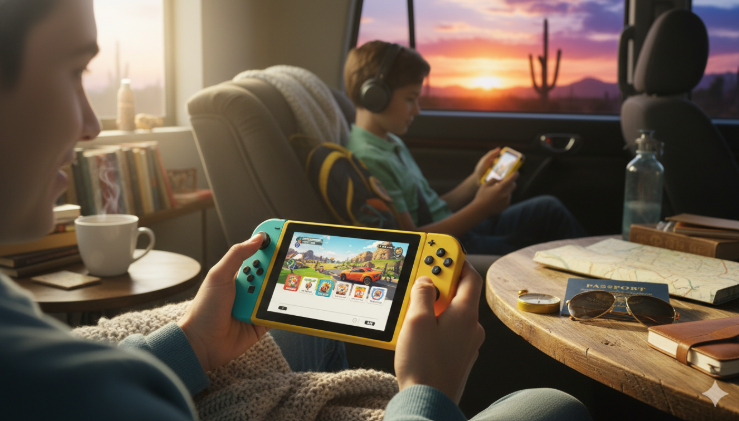
If you love gaming on the move, the Switch Lite might be your new best friend. This little machine is a dedicated handheld version of the famous Nintendo console. Unlike its bigger brother, it does not connect to your TV. However, it makes up for that by being super light and easy to carry. I remember the first time I held one; it felt much more solid than the standard model because the controllers don’t slide off. It is perfect for long car rides or sitting in a cozy chair at home.
The Switch Lite was designed for people who want to play high-quality games without spending too much money. It comes in many bright colors like turquoise, coral, and yellow. Because it is smaller, it fits better in smaller hands, making it a top choice for kids. If you don’t care about playing on a big screen, this device offers the exact same game library as the expensive versions. It is a smart way to enjoy Mario and Zelda while saving some cash for extra games.
Detailed Specifications: Switch Lite at a Glance
| Feature | Details and Specs |
| Screen Size | 5.5-inch Touchscreen |
| Weight | Approximately 0.61 lbs |
| Battery Life | 3 to 7 hours depending on the game |
| Controller Type | Built-in (Non-removable) |
| TV Output | No (Handheld Mode Only) |
| Storage | 32GB (Expandable with microSD cards) |
| Game Support | Plays all games that support Handheld Mode |
Comparing the Switch Lite to the Original Model
When you look at the Switch Lite next to the original Nintendo Switch, the size difference is very clear. The original has a 6.2-inch screen, while the Lite has a 5.5-inch screen. This might sound like a bad thing, but it actually makes the games look sharper. Since the resolution is the same on a smaller screen, the pixels are closer together. I find that text in games is still very easy to read. You lose the ability to “dock” the system, but you gain a much more portable experience.
Another big change is the D-pad. The Switch Lite has a real plus-shaped directional pad on the left side. The standard Switch uses four separate buttons, which can feel weird for 2D platformers. If you love playing classic games or fighting games, you will probably prefer the feel of the Lite. It feels like a classic Game Boy but with modern power. Just remember that you cannot remove the Joy-Cons, so you won’t be able to play motion games like “1-2-Switch” without buying extra controllers.
How the Battery Life Holds Up During Travel
Battery life is a huge deal for any portable console. The Switch Lite usually lasts between three and seven hours on a single charge. This depends mostly on how bright your screen is and how “heavy” the game is. For example, playing a simple game like Stardew Valley will let the battery last much longer than playing The Legend of Zelda: Breath of the Wild. In my experience, I usually get about four hours of solid playtime before I need to find a charger.
If you plan on taking the Switch Lite on a plane or a long bus trip, I highly recommend a power bank. Since it uses a USB-C port, it is very easy to find cables that work. It charges pretty fast, so you won’t be stuck waiting forever to get back into the action. Even though the battery is smaller than the OLED model, the Lite uses less power because the screen is smaller. It is a fair trade-off for such a tiny and lightweight device.
The Best Games to Play on Your Handheld
Almost every game in the Nintendo library works perfectly on the Switch Lite. Games like Animal Crossing: New Horizons feel like they were made for this system. It is so relaxing to check on your island while laying in bed. Since the system is so light, your wrists won’t get tired even after hours of playing. I also love playing Pokémon titles on this version because it reminds me of the old days of the Game Boy Color and DS.
However, you should check the back of game boxes for the “Handheld Mode” icon. If a game requires you to wave your arms around, like Nintendo Switch Sports, it won’t work easily on the Switch Lite. You would have to buy separate Joy-Cons and prop the Lite up on a stand. That can be a bit clunky since the Lite doesn’t have a built-in kickstand. For 95% of the games out there, though, you will have a perfect experience right out of the box.
Is the Smaller Screen Good for Your Eyes?
Some people worry that the Switch Lite screen might be too small to see clearly. While it is smaller than a smartphone, the colors are very bright and vivid. Nintendo used a high-quality LCD panel that looks great from different angles. If you have trouble seeing small text, you can actually turn on a “Zoom” feature in the system settings. This lets you double-tap the Home button to see things closer. It is a very helpful tool that many people forget exists.
I have spent many nights playing the Switch Lite under a lamp, and the glare isn’t too bad. If you are playing outside in the bright sun, it might be a little harder to see. But for indoor use, it is fantastic. The smaller size also means it fits into pockets more easily than the bigger consoles. It really feels like a toy in the best way possible—durable, cute, and ready for fun whenever you have five minutes to spare.
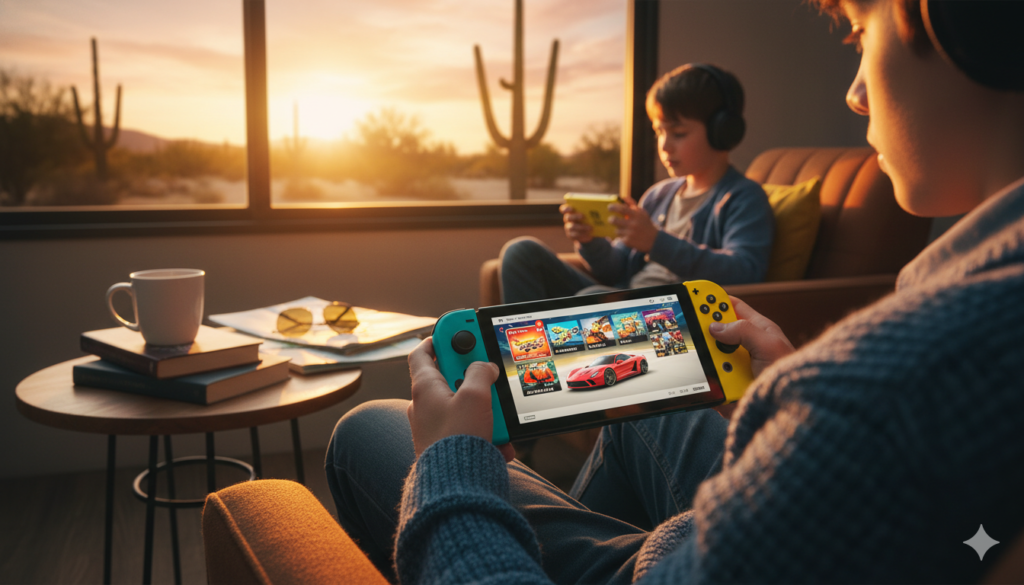
Choosing the Right Color and Style
One of the coolest things about the Switch Lite is the variety of colors. You can get it in Grey, Yellow, Turquoise, Coral, or Blue. There are even special editions for games like Pokémon and The Legend of Zelda. These special versions often have cool art on the back and different colored buttons. Picking a color that matches your personality makes the console feel more special. I personally love the Turquoise because it stands out and looks very modern.
The finish on the Switch Lite is matte, which means it doesn’t get covered in fingerprints as easily as the glossy screens. It feels smooth and slightly grippy in your hands. If you are buying this for a child, the Grey model is great for hiding dirt. If you want something that looks like a piece of candy, the Coral or Yellow are the way to go. No matter which one you choose, the build quality is excellent and it feels like it can survive a few small bumps.
Storage Tips: Do You Need an SD Card?
The Switch Lite comes with 32GB of internal storage. This sounds like a lot, but big games can fill that up very quickly. For example, one big game might take up half of that space! I always suggest getting a microSD card as soon as you get your console. You can find 128GB cards for a very low price these days. This gives you plenty of room to download dozens of games from the eShop without having to delete anything.
Installing the card is very easy. There is a small flap on the bottom of the Switch Lite where the card clicks in. Once it is in, you never have to think about it again. The system will automatically save your digital games there. This is much better than carrying around a bunch of tiny game cartridges that are easy to lose. If you prefer physical games, you can still use those too! There is a slot at the top for your game cards.
How to Keep Your Console Safe and Clean
Since the Switch Lite goes everywhere with you, it is important to keep it safe. I always tell my friends to buy a screen protector first. Even a cheap plastic one can prevent scratches from keys or coins in your bag. A carrying case is also a must-have. There are many slim cases that don’t add much bulk but protect the joysticks from getting snagged. These joysticks are built-in, so if they break, the whole unit needs repair.
Cleaning the Switch Lite is simple. Just use a soft, dry cloth to wipe the screen. Never use harsh chemicals or window cleaner, as that can ruin the special coating on the display. If the buttons get sticky, a tiny bit of rubbing alcohol on a cotton swab usually does the trick. Keeping your console clean not only makes it look better but also helps it last for many years. It is a sturdy little device, but a little love goes a long way.
Understanding the “Drift” Issue and Repairs
You might have heard people talking about “Joy-Con drift.” This is when the character moves on the screen even if you aren’t touching the sticks. Since the controllers on the Switch Lite are part of the body, you can’t just swap them out. The good news is that Nintendo has improved the design over the years. Also, in many places, Nintendo offers free repairs if your sticks start acting up. It is something to keep in mind, but it shouldn’t stop you from buying one.
To avoid problems, try to keep dust away from the base of the joysticks. Some people use “thumb grips,” which are little rubber caps that go over the sticks. These make the Switch Lite more comfortable to hold and keep the original rubber from wearing down. If you are careful with your gear, you likely won’t have any issues. Thousands of people use their consoles every day for years without ever seeing a single problem with their controllers.
Final Verdict: Who Should Buy the Lite?
The Switch Lite is perfect for three types of people. First, it is great for commuters who want a lightweight way to play games on the train. Second, it is the best choice for kids because it is durable and fits their hands. Third, it is excellent for families who already have one Nintendo Switch and want a second console so everyone can play at the same time. It is the most affordable entry point into the world of amazing Nintendo games.
If you absolutely must play on your TV, then the Switch Lite is not for you. But if you find yourself playing in handheld mode most of the time anyway, you will love the lighter weight and lower price. It feels like a premium device despite being the “budget” option. It proves that you don’t need the biggest or most expensive screen to have a world-class gaming experience. It is a charming, powerful, and fun little machine.
Frequently Asked Questions (FAQ)
1. Can the Switch Lite play every Nintendo Switch game?
It can play any game that supports “Handheld Mode.” You can check for this icon on the back of the game box or on the digital eShop page.
2. Does the Switch Lite come with a charger?
Yes, it comes with a standard USB-C power adapter in the box so you can start playing right away.
3. Can I play multiplayer with friends on a Switch Lite?
Yes! You can play online with people all over the world, or play local wireless with friends who are sitting in the same room as you.
4. Is the screen on the Switch Lite bright enough for outdoors?
It works well in shade or overcast weather, but direct sunlight can make it hard to see, just like a smartphone.
5. Can I transfer my save data from a regular Switch to a Lite?
Yes, if you have a Nintendo Switch Online membership, you can use Cloud Saves. You can also transfer data directly between consoles.
6. Does it have a headphone jack?
Yes, it has a standard 3.5mm headphone jack at the top, and it also supports Bluetooth headphones like AirPods.